
Last Updated on September 8, 2026
On June 15, Google is changing how your cookie consent banner talks to Google Ads. If your setup is wrong, your conversion tracking, remarketing audiences, and return-on-ad-spend reporting could all go dark. No warning. No error message. Just missing data.
Most UK businesses running Google Ads have no idea this is coming.
What’s actually changing
Right now, Google Ads checks two things before it tracks a visitor: your consent banner (Consent Mode) and a setting inside Google Analytics called Google Signals. If either one says no, the data stops.
From June 15, Google Ads will stop checking the Analytics setting entirely. Your consent banner becomes the only thing that matters. It is the single source of truth.
That sounds like a simplification. And it is. But it creates a real problem for businesses that were relying on the Analytics toggle as a safety net, or whose consent banners were never properly set up in the first place.
Why this matters for UK small businesses
If your cookie banner is not correctly sending the right signals to Google, one of two things happens after June 15.
If your banner incorrectly grants consent, Google Ads will start linking visitor data to signed-in Google accounts. That may put you on the wrong side of UK GDPR. You could be collecting data you are not legally allowed to collect.
If your banner incorrectly denies consent, Google Ads gets almost nothing. Your conversion tracking stops working. Your remarketing audiences stop building. Your campaigns keep spending, but you cannot see what is working. You are flying blind.
Either way, the problem is invisible. Your dashboards will not flag it. Your ad spend will not pause. You just start making decisions based on bad data.
The three things to check right now
You do not need to be a developer to start. But you do need to get this on someone’s list before June 15.
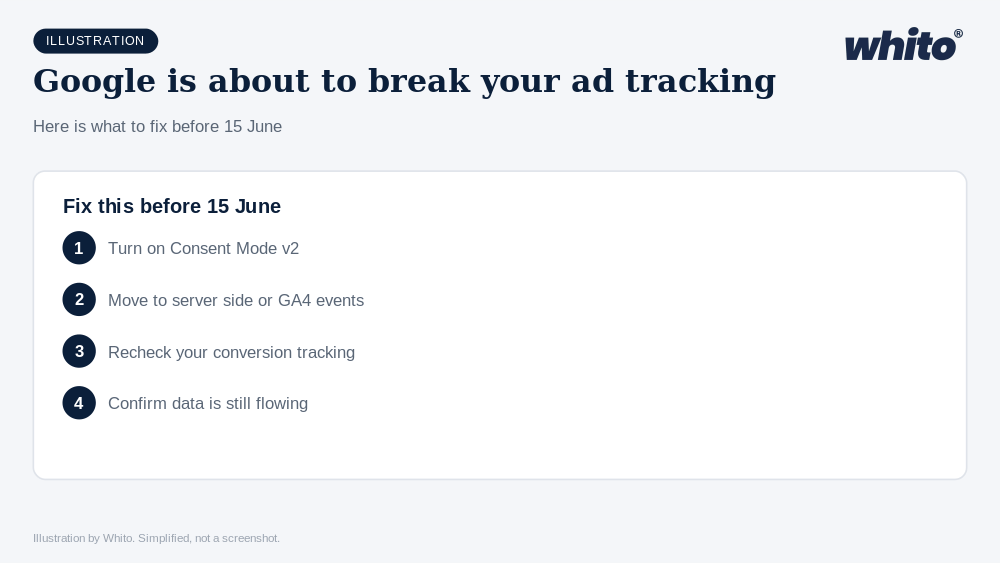
1. Test your consent banner on a fresh visit
Open your website in a private browser window. Do not click the cookie banner. Check whether Google tags are firing before you have made a choice. If they are, that is a compliance problem today, not just after June 15.
2. Make sure all four consent signals are being sent
Google’s Consent Mode v2 requires four parameters: ad_storage, analytics_storage, ad_user_data, and ad_personalization. Older setups often only send the first two. If ad_user_data is missing, Enhanced Conversions will not work even when a visitor accepts your cookies.
3. Check your confirmation and thank-you pages
The most common gap is on checkout or enquiry confirmation pages. These are exactly the pages where conversion tracking fires, and they are the ones most likely to have a separate code setup that skips the consent check. If your consent banner does not load on these pages, your conversions disappear.
If you are running a WordPress site with a consent plugin like CookieYes, Complianz, or CookieHub, check whether it supports Google Consent Mode v2. Many plugins added support in 2025, but it may not be enabled by default. Look for settings that mention “ad_storage” or “Consent Mode v2” and make sure they are switched on.
If your plugin does not support Consent Mode v2 at all, it is time to switch. After June 15, a consent banner that does not send the right signals to Google is the same as having no banner at all, as far as your ad tracking is concerned.
The bigger picture
Google has been moving in this direction for over a year. They want fewer privacy controls scattered across different products and more decisions routed through a single, code-level signal. The consent banner is no longer just a legal checkbox. It is a core part of your marketing infrastructure.
If you are spending money on Google Ads, this is not optional. Five days from now, the rules change. The businesses that prepared will keep measuring. The ones that did not will keep spending, just without knowing what it is buying them.
The takeaway: Your cookie consent banner is not a legal formality. After June 15, it is the single thing that decides whether your Google Ads data works or not. Check it this week. Not next month.