Home Blog
W
Reviewed by Jacob Whitmore, Whito · Fact-checked for accuracy
Some links on this page earn Whito a commission when you buy. They do not buy a place in our rankings. How we test and disclose

Last Updated on May 21, 2026

Most UK Small Business Websites Are Built Backwards

Here’s a number that should concern you: 74% of UK small businesses have a website. That sounds healthy. But dig into what those websites actually do, and the picture falls apart. Most sit there like digital wallpaper. They exist, they look presentable enough, and they generate close to nothing.

The reason is almost always the same. The owner started with “what should this look like?” instead of “what should this do?” A plumber’s site that looks polished but buries the phone number below the fold is decoration. A salon with gorgeous imagery but a broken booking link loses appointments every single day. A consultant’s site with a clever strapline but no clear next step leaves visitors guessing.

The best website for your business is the one that works first, looks good second, and launches fast enough that you’re not haemorrhaging money before a single visitor arrives.

This guide is built for UK business owners who want clarity, not confusion. We’ve compared seven website builders on the things that actually matter: real UK pricing, how quickly you can launch, what each platform genuinely does well, and which types of businesses they suit. No affiliate rankings dressed up as reviews. Just practical guidance.

The Real Cost of Getting This Wrong

Before we talk platforms, let’s talk money. Because the cost conversation around websites is broken.

The typical UK small business faces three routes:

Route 1: Hire a freelance designer. Budget £800 to £3,000 for a simple 4-5 page site. Most straightforward builds land around £1,200 to £2,000. You’ll wait 4 to 12 weeks. You’ll get something that looks professional. Then you’ll discover you can’t update it yourself without emailing the designer, who takes two weeks to respond and charges £50 per hour for changes.

Route 2: Hire an agency. Budget £2,500 to £10,000 for a standard small business website. London agencies sometimes charge significantly more for the same specification. The build takes longer. The result is often impressive. But the ongoing maintenance plans (£50 to £150 per month) mean you’re paying £600 to £1,800 per year just to keep it running, on top of what you already spent.

Route 3: Use a website builder. Budget £240 to £360 per year, including domain and business email. You launch in days, not months. You control everything. The downside is a ceiling on what you can do, and a learning curve that varies wildly between platforms.

Over three years, here’s what each route actually costs:

RouteYear 1 CostYears 2-3 Running Cost3-Year TotalControl Level
Freelance designer£1,500 – £3,000£600 – £1,200/yr maintenance£2,700 – £5,400Low (depends on designer)
Agency£3,500 – £10,000£1,200 – £3,600/yr maintenance£5,900 – £17,200Very low
Website builder (DIY)£240 – £360£240 – £360/yr£720 – £1,080Full

That’s a massive difference. And it gets worse when you factor in the hidden costs most people miss.

The Hidden Costs Nobody Mentions

Every website has running costs beyond the platform fee. Here’s what catches UK business owners off guard:

  • Domain renewal: £10 to £50 per year. First-year promotional pricing often doubles or triples at renewal. Check the renewal rate before you buy.
  • SSL certificate: Should be free in 2026. If anyone is charging you £50 to £200 per year for a basic SSL, you’re being overcharged. Most website builders and reputable hosts include it.
  • Business email: Google Workspace or Microsoft 365 adds £3 to £10 per month. Some builders include email, some don’t.
  • Premium plugins or apps: Booking systems, advanced contact forms, and proper analytics often require paid upgrades. Budget £50 to £500 per year for these.
  • Stock images: £10 to £50 each, or £100+ per year for a subscription. Use your own photos where possible.
  • Content writing: If you can’t write your own copy, expect £50 to £200 per page from a freelancer.

A realistic total cost of ownership for a website builder in the UK is £70 to £250 per month once you include everything. Still far cheaper than the alternatives, but higher than the headline price suggests.

5 Questions to Answer Before You Choose a Platform

Most comparison guides jump straight to features. That’s backwards. The right platform depends on your business, not the platform’s feature list. Answer these five questions first:

1. Are you selling physical or digital products online?

If yes, you need a platform built for e-commerce. Shopify or WordPress with WooCommerce are the serious options. Everything else is a compromise. Squarespace handles low-volume product sales acceptably, but it charges transaction fees on its cheaper plans that add up fast.

2. Is visual design central to your business?

If you’re a photographer, architect, interior designer, or anyone whose work is primarily visual, the design quality of your site IS your marketing. Squarespace or Webflow. Everything else will feel like a downgrade.

3. How much time can you invest right now?

If you need a site live this week, your options narrow to Wix, GoDaddy, or Hostinger. If you have a month, WordPress and Webflow become viable. If you have a weekend and realistic expectations, Squarespace hits a sweet spot.

4. What’s your monthly budget?

Under £10/month: Hostinger or GoDaddy. £10 to £20/month: Wix or Squarespace. £20 to £40/month: Shopify, Webflow, or managed WordPress. Over £40/month: You should probably be talking to a developer.

5. Will you need to move platforms later?

This is the question nobody asks upfront, and it costs thousands later. Wix and Squarespace are walled gardens. You cannot export your site and take it elsewhere. WordPress is fully portable. If there’s any chance you’ll outgrow your platform within three years, factor that in now.

Website Builders Compared: The Full Breakdown

PlatformStarting Price (UK)Best ForEase of UseE-commerceKey Strength
Squarespace£12/monthVisual businesses, creativesEasyBuilt-in (2-3% fees on lower plans)Design quality
Wix£9/monthService businesses, local shopsVery easyBuilt-in (Business plan+)Flexibility and AI tools
WordPress.org£4/month (hosting)Long-term builds, content sitesDifficultVia WooCommerce (free plugin)Total ownership and control
Shopify£29/monthProduct sellers, online storesEasyPurpose-builtConversion-optimised checkout
GoDaddy£9.99/monthAbsolute beginnersVery easyBasicSpeed of setup
Webflowaround £12/monthDesigners, agenciesHardBuilt-in (newer)Pixel-perfect design freedom
Hostinger£1.98/month*Budget-conscious startersVery easyBasic (500 product limit)Lowest entry price

*Hostinger’s £1.98/month price requires a 48-month commitment. Expect to pay more on shorter terms.

1. Squarespace: Best for Businesses Where Design IS the Product

Best for: Photographers, architects, interior designers, boutique hotels, salons, creative agencies, portfolio-based businesses.

Squarespace exists for one type of business owner: the person whose work is visual and whose website needs to reflect that quality without compromise. Every template is genuinely well designed. The image handling is exceptional. The typography options are better than anything else on this list.

If you’re a photographer and your portfolio looks mediocre, you lose clients. Squarespace makes it nearly impossible to create something ugly, which is exactly what visual businesses need.

What actually works well:

  • Templates are award-winning quality out of the box. No tweaking required to look professional.
  • Image galleries, video backgrounds, and parallax scrolling are built in and perform well.
  • Blogging features are solid for content marketing.
  • Built-in analytics give you enough data without needing third-party tools initially.
  • Customer support responds reliably via email and live chat.
  • All plans include free custom domain, SSL, and unlimited bandwidth.

What falls short:

  • Transaction fees on cheaper plans. Squarespace charges 3% on the Basic plan and 2% on the Core plan for any online sales. If your business does £2,000 per month in online sales on the Core plan, that’s £40 per month in fees, on top of your subscription and payment processing fees. This adds up fast.
  • Limited third-party integrations. Compared to Wix’s app marketplace, Squarespace has fewer options for extending functionality.
  • No phone support. If you’re the type who wants to call someone, Squarespace won’t suit you.
  • E-commerce is adequate, not exceptional. For more than 50 products, you’ll start feeling the limitations compared to Shopify.
  • You’re locked in. You cannot export your Squarespace site and take it elsewhere.

UK Pricing (2026):

PlanMonthly (annual billing)What You Get
Basic£12/monthWebsite, blog, basic analytics. 3% transaction fee on sales.
Core£19/monthE-commerce, customer accounts. 2% transaction fee.
Plus£28/monthAdvanced e-commerce, no transaction fees. Annual billing only.
Advanced£42/monthAdvanced analytics, abandoned cart recovery. Annual billing only.

The Whito verdict: If your business is visual, Squarespace is the obvious choice. If your business is primarily service-based and doesn’t rely on imagery, you’re paying a premium for design quality you don’t need. Look at Wix or Hostinger instead.

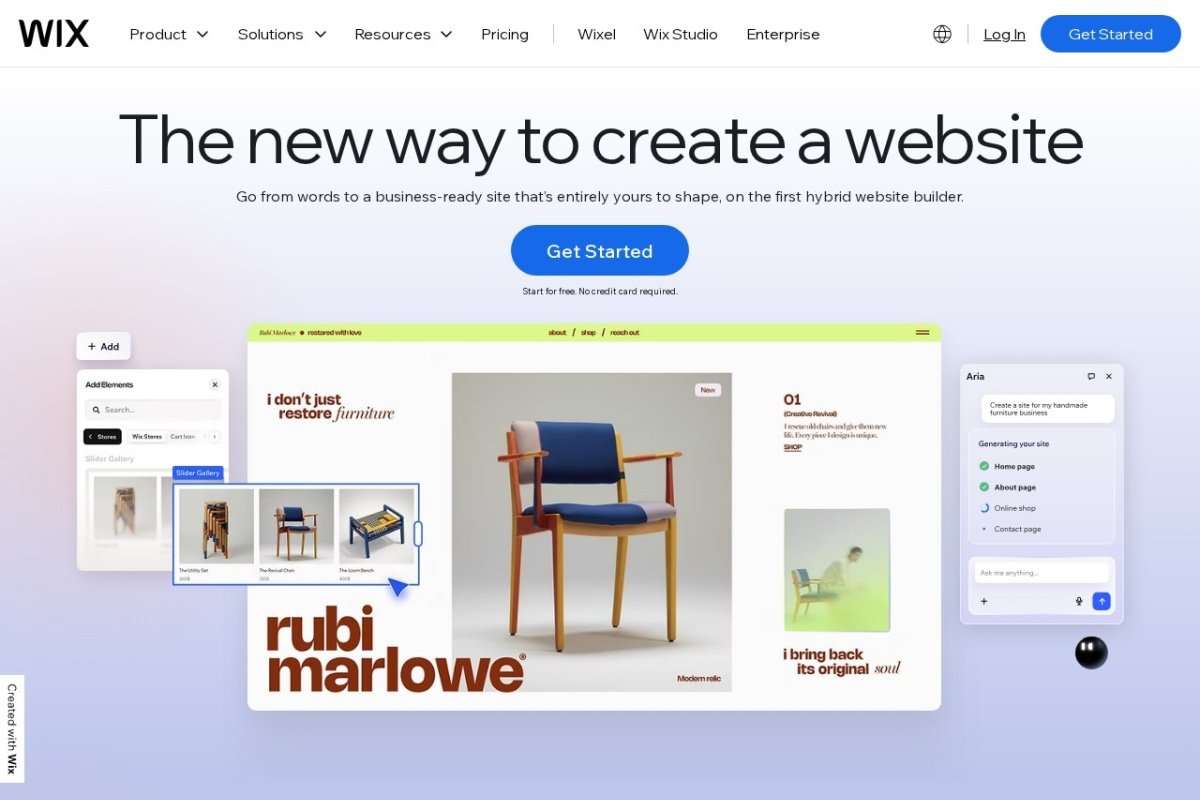
2. Wix: Best for UK Service Businesses and Local Operations

Best for: Tradespeople, consultants, personal trainers, hairdressers, restaurants, local service businesses, small teams needing flexibility.

Wix is the platform that does the most things reasonably well. It’s not the prettiest (that’s Squarespace), not the cheapest (that’s Hostinger), and not the most powerful (that’s WordPress). But it’s the one that gives a local plumber, a personal trainer, and a small café owner exactly what they need without asking them to become web designers.

With over 900 templates and 20+ AI tools built in, Wix has invested heavily in making the “I have no idea what I’m doing” experience as painless as possible. Their AI Site Generator can create a reasonable first draft of your entire site from a few prompts, which you then customise.

What actually works well:

  • True drag-and-drop editing. You grab elements and move them wherever you want. No grid restrictions.
  • Built-in booking system on premium plans. Solid for service businesses.
  • The app marketplace has thousands of integrations. If you use Calendly, Stripe, social media tools, or email marketing software, Wix connects to most of them.
  • AI tools for content generation, image editing, and SEO suggestions are genuinely useful, not gimmicky.
  • Mobile-responsive without extra work.
  • Free plan available (with Wix branding) for testing before committing.

What falls short:

  • Page speed. Wix sites tend to load slower than Squarespace or WordPress. For local service businesses this rarely matters (your customers are searching, not speed-testing). For e-commerce, it can cost you sales. Even a one-second delay reduces conversions by approximately 7%.
  • You’re locked in. Like Squarespace, you cannot export your Wix site. If you outgrow the platform, you start from scratch.
  • SEO limitations. Wix has improved dramatically, but power users will still find WordPress offers more granular SEO control.
  • Pricing creep. The entry-level Light plan (£9/month) is limited. Most businesses will need the Core plan (£13.50/month) or higher, and the Business plan for e-commerce is £28.59/month.

UK Pricing (2026):

PlanMonthly (annual billing)What You Get
Light£9/monthBasic site, no e-commerce, Wix branding removed.
Core£13.50/monthCustom domain, 50GB storage, basic analytics.
Business£28.59/monthE-commerce, online payments, no transaction fees.
Business Elite£136.60/monthAdvanced features, priority support, unlimited storage.

The Whito verdict: Wix is the safe, practical choice for most UK service businesses. It won’t win design awards, but it does what matters: it gets your business online, visible, and generating enquiries. If you’re a tradesperson or local service provider, this is probably your best starting point.

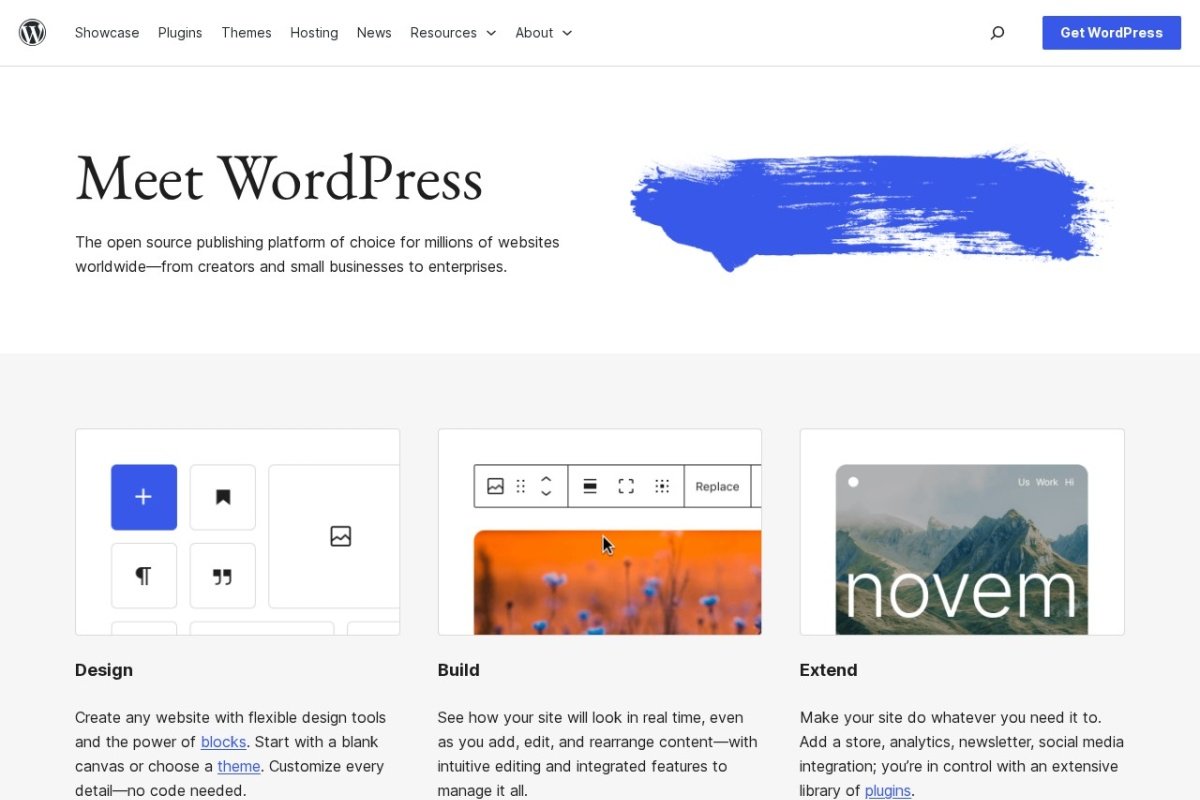
3. WordPress.org (Self-Hosted): Best for Long-Term Business Assets

Best for: Content-driven businesses, bloggers, businesses planning 5+ years ahead, anyone who values ownership and flexibility, e-commerce with WooCommerce.

WordPress powers roughly 43% of all websites on the internet. That’s not a marketing claim, it’s a verifiable statistic. The reason is simple: WordPress offers total control. You own your content. You own your data. You can move your site between hosting providers whenever you want. Nobody can take it away from you or change the terms.

But here’s what the WordPress evangelists don’t mention: it’s genuinely hard for non-technical people. Not “a bit of a learning curve” hard. Properly, “I’ve been staring at this dashboard for two hours and nothing makes sense” hard.

What actually works well:

  • Total flexibility. There are over 60,000 plugins for virtually any functionality you can imagine.
  • Complete data ownership. Your content, your database, your rules.
  • Best-in-class SEO capabilities, especially with plugins like Rank Math or Yoast.
  • WooCommerce (free) turns WordPress into a fully-featured online store.
  • Huge community. Whatever problem you encounter, someone has solved it and written about it.
  • No lock-in. Move to any hosting provider, any time.

What falls short:

  • You manage everything. Hosting, security updates, backups, plugin compatibility. If your host is poor, your site gets hacked or goes slow. This is real and happens frequently.
  • No built-in support. If something breaks, you’re Googling solutions or hiring someone.
  • Plugin conflicts. Too many plugins slow your site and can create security vulnerabilities. Managing this requires knowledge most small business owners don’t have.
  • Design requires a theme or a page builder. Out of the box, WordPress looks basic. You’ll need a theme (free to £100) and possibly a page builder like Elementor or Divi.
  • Time investment. Expect to spend several weeks learning the platform properly, or budget for a developer to set it up.

UK Pricing (2026):

ComponentCostNotes
WordPress softwareFreeAlways free, open source.
Shared hosting£4 – £8/monthSiteGround, Bluehost, Hostinger.
Managed WordPress hosting£15 – £50/monthKinsta, WP Engine, Flywheel. Worth it for peace of mind.
Domain£10 – £15/yearUsually included free for year one with hosting.
Premium theme£0 – £100 (one-time)Free themes are fine for starting. Divi, Astra, GeneratePress are popular premium options.
Essential plugins£0 – £200/yearMost essential plugins have free versions. Premium adds convenience.

Realistic annual cost: £200 to £600 for a well-maintained WordPress site on quality hosting.

The Whito verdict: WordPress is the right choice if you’re building a business asset for the long term, you’re willing to learn (or hire someone who knows it), and you want complete control. It’s the wrong choice if you need something live this week and you’re not technical. Don’t let anyone convince you WordPress is “easy.” It’s powerful. Powerful and easy are different things.

4. Shopify: Best for Selling Products Online

Best for: Product-based businesses, online stores, creators selling digital products, service businesses with paid bookings, anyone whose primary website goal is taking payment.

Shopify exists for one purpose: turning visitors into paying customers. Every feature, every template, and every design decision has been optimised for conversion. If your website’s job is to sell things, Shopify does that better than anything else on this list.

The checkout experience alone is worth the price. Shopify’s checkout converts at rates significantly higher than custom-built alternatives, because they’ve spent years testing and optimising every pixel of that flow.

What actually works well:

  • Payment processing is straightforward. Connect your bank, enable payments, done.
  • Product management is comprehensive: variants, inventory tracking, discounts, abandoned cart recovery, customer accounts.
  • The app ecosystem is enormous. Over 8,000 apps for marketing, shipping, analytics, and more.
  • Shopify POS connects your online and physical store if you have a shop front.
  • Multi-channel selling: Facebook, Instagram, TikTok, Amazon, all managed from one dashboard.
  • 24/7 support via phone, chat, and email.

What falls short:

  • Expensive when you add it all up. The £29/month base plan is just the start. Add payment processing (2.5% + 25p per transaction with Shopify Payments), premium apps (£10 to £100/month each), and a better theme (£180 to £350 one-time), and your real monthly cost is £50 to £150+.
  • Blogging and content features are secondary. If content marketing is part of your strategy, Shopify’s blog is basic compared to WordPress or even Squarespace.
  • Overkill for service businesses. If you’re not selling products, you’re paying for features you’ll never use.
  • App dependency. Many features that should be standard require paid apps. This creates ongoing costs that are hard to predict upfront.

UK Pricing (2026):

PlanMonthlyTransaction Fee (Shopify Payments)
Basic£29/month2.5% + 25p
Shopify£79/month2.4% + 25p
Advanced£299/month2.2% + 25p

The Whito verdict: If your business sells products online, Shopify is the answer. Stop looking. If your business is purely service-based with no product sales, skip it entirely. The monthly cost is hard to justify for a brochure site.

5. GoDaddy Website Builder: Best for Getting Online in an Afternoon

Best for: Complete beginners, tradespeople who just need a basic web presence, anyone on a tight budget who wants a site live today.

GoDaddy’s website builder is the Honda Civic of this list. It’s not exciting. It won’t impress designers. But it starts every time, it does what it needs to, and it costs less than the alternatives.

For a tradesperson who needs a phone number, a list of services, some customer testimonials, and a contact form, GoDaddy delivers that in a single afternoon. The AI-powered setup process asks you a few questions about your business and generates a reasonable starting point. You tweak it, add your content, and publish.

What actually works well:

  • The fastest setup process of any builder on this list. Genuinely possible to go live in under two hours.
  • Phone and chat support available. If you get stuck, you can talk to a human.
  • AI content suggestions help if you’re staring at a blank page.
  • All-in-one: hosting, SSL, domain, and builder in one package. No separate purchases needed.
  • Built-in appointment booking on higher-tier plans.

What falls short:

  • Limited customisation. Far less flexible than Wix. You’re working within tight constraints.
  • Templates are functional, not beautiful. Your site will look like a GoDaddy site. For many businesses, that’s fine. For visual businesses, it’s not.
  • Basic analytics. You’ll need analytics tools like Google Analytics for anything meaningful.
  • Upselling pressure. GoDaddy is aggressive about selling add-ons. Be prepared to say no repeatedly during setup.
  • Renewal pricing jumps. The first-year promotional price can double or triple at renewal. Check renewal rates before committing.

UK Pricing (2026):

PlanMonthlyWhat You Get
Basic£9.99/monthWebsite, SSL, basic marketing tools.
Standard£13.99/monthSEO tools, social media integration.
Premium£17.99/monthOnline booking, recurring appointments.
E-commerce£22.99/monthOnline store, product listings, payment processing.

The Whito verdict: GoDaddy is the right tool for businesses that need a functional web presence quickly and cheaply. Don’t expect it to win clients through design. Do expect it to get your phone number, services, and reviews in front of people searching for you. That’s often enough.

6. Webflow: Best for Designers Who Want Code-Level Control Without Code

Best for: Design agencies, freelance designers building client sites, creative businesses wanting pixel-perfect control, businesses with dedicated marketing teams.

Webflow is the outlier on this list. It’s not really a “website builder” in the way the others are. It’s closer to a visual development environment. You’re designing directly in the browser with the same level of control you’d get from writing custom HTML and CSS, but without actually writing code.

This makes it incredibly powerful for the right user, and completely overwhelming for the wrong one.

What actually works well:

  • Pixel-perfect design freedom. No template restrictions. You build exactly what you envision.
  • Interactions, animations, and custom layouts that rival agency-built sites.
  • Clean, semantic code output. Unlike other builders, the code Webflow generates is actually good.
  • Built-in CMS for blogs, portfolios, and dynamic content.
  • Hosting is fast and managed. SSL, CDN, and backups included.
  • Growing e-commerce features, though not yet at Shopify’s level.

What falls short:

  • Steep learning curve. This is the hardest platform on this list to learn. Plan on several weeks of dedicated learning, or hire someone.
  • Not for non-designers. If you don’t think visually or understand basic layout principles, Webflow will frustrate you.
  • Pricing is confusing. Site plans, workspace plans, and e-commerce plans are all separate. Most businesses need a site plan (around £12 to £31/month) plus a workspace plan if collaborating.
  • Smaller ecosystem. Fewer templates, fewer integrations, and a smaller community than Wix or WordPress.

UK Pricing (2026):

PlanMonthly (annual billing, approx GBP)What You Get
Free£0Webflow.io subdomain, 2 pages, limited features.
Basicaround £12/monthCustom domain, 150 pages, 50GB bandwidth.
CMSaround £19/monthDynamic content, blog, 300 pages.
Businessaround £31/month25,000 monthly visits, form submissions, advanced features.

Note: Webflow prices in USD. GBP equivalents are approximate based on current exchange rates.

The Whito verdict: Webflow is spectacular in the right hands and useless in the wrong ones. If you’re a designer or you’re hiring a designer, it produces results that rival custom development at a fraction of the cost. If you’re a tradesperson who just needs a phone number and contact form on a page, this is completely the wrong tool.

7. Hostinger Website Builder: Best for the Tightest Budgets

Best for: Budget-conscious beginners, side projects, portfolio sites, businesses that need a simple online presence while they figure out their next move.

Hostinger’s headline pricing (£1.98/month) is attention-grabbing, but it requires a 48-month commitment. Still, even on shorter terms, it’s the cheapest quality option available. The builder is AI-assisted, the templates are decent (not outstanding), and the hosting is reliable.

What actually works well:

  • Genuinely affordable, even at realistic (non-promotional) pricing.
  • AI website generator creates a reasonable starting point from a text description of your business.
  • Hosting performance is solid. Pages load quickly.
  • Free domain, SSL, and business email included on most plans.
  • 24/7 customer support with decent response times.

What falls short:

  • E-commerce limited to 500 products. Fine for small shops, inadequate for growth.
  • No email marketing built in. You’ll need a third-party tool like Mailchimp or ActiveCampaign.
  • Fewer templates than Wix or Squarespace. Less variety means less differentiation.
  • Limited third-party integrations. The app ecosystem is small.
  • Promotional pricing requires long commitments. The £1.98/month price is for 48 months. Monthly billing is significantly more expensive.

UK Pricing (2026):

PlanMonthly (48-month term)Monthly (12-month term)What You Get
Premium£1.98/montharound £6/monthWebsite builder, hosting, free domain, email, 100 websites.
Business£2.98/montharound £8/monthAll Premium features + daily backups, CDN, more resources.
Cloud Startup£7.98/montharound £14/monthCloud hosting, dedicated resources, better performance.

The Whito verdict: Hostinger is the sensible choice for businesses where the website is a necessity, not a centrepiece. If you need to be online, you need it cheap, and you need it working, Hostinger delivers. Don’t expect design awards. Do expect your phone to ring.

8 Mistakes UK Small Businesses Make When Choosing a Website Builder

  1. Choosing based on the first-year price. Promotional pricing is designed to get you in. Check the renewal rate. A £2/month plan that renews at £12/month is not a £2/month plan.
  2. Ignoring mobile. Over 60% of UK web traffic comes from mobile devices. If your builder doesn’t create mobile-responsive sites automatically, it’s not fit for purpose in 2026.
  3. Prioritising design over function. A beautiful site that doesn’t convert visitors into leads or sales is expensive art. Your homepage needs to convert, not just impress.
  4. Skipping the booking or contact system. If people can’t take the next step easily (call, book, enquire), your site is actively losing you money.
  5. Not setting up Google Business Profile. Your website builder is half the equation. Google Business Profile is the other half. Do both.
  6. Buying every add-on offered during setup. Website builders make money from upsells. You don’t need most of them on day one. Start minimal and add features as you prove demand.
  7. Forgetting about site speed. If your website takes longer than three seconds to load, most visitors leave. Test your speed after building and fix anything that drags.
  8. Not planning for what happens next. Your business will grow. Will your platform grow with it? WordPress scales infinitely. Wix and Squarespace hit ceilings. Shopify scales for e-commerce. Think two years ahead, not two weeks.

Website Builder Recommendations by Business Type

Tradespeople (Plumbers, Electricians, Builders, Roofers)

Recommended: Wix (£13.50/month) or GoDaddy (£9.99/month).

Your website is a trust signal, not a portfolio. You need your phone number prominent, your service areas clear, customer reviews visible, and a simple contact form. Wix gives you flexibility to add booking and quote request forms as you grow. GoDaddy gets you live fastest. Pair either with local SEO and you’re set. Read our full guide on marketing for tradespeople.

Professional Services (Accountants, Solicitors, Consultants)

Recommended: Wix (£13.50/month) or WordPress (£15-30/month managed hosting).

Your site communicates trustworthiness. Clean design, clear service descriptions, credentials displayed. A blog helps with content marketing and SEO over time. WordPress is worth the investment if you’re planning to build authority through content. Wix works if you just need something professional and functional. Read our guide on marketing for accountants.

Hospitality (Cafés, Restaurants, B&Bs, Pubs)

Recommended: Squarespace (£12/month) or Wix (£13.50/month).

Food and venue photography drives decisions. Squarespace handles this beautifully. You’ll also need a menu that’s easy to update, an online booking system, and clear location information. Wix has a slight edge on booking integration. Make sure your Google Business Profile is complete too, as many customers will find you there first.

Beauty and Wellness (Salons, Therapists, Fitness Studios, Spas)

Recommended: Wix (£13.50/month) or Squarespace (£12/month).

Booking is critical. Both platforms handle it. Visual quality matters, but it’s secondary to the ability for clients to book directly. Wix’s built-in booking system is slightly more capable. If you’re also selling retail products (skincare, supplements), consider Shopify.

Creative Freelancers (Photographers, Designers, Writers, Illustrators)

Recommended: Squarespace (£12/month) or Webflow (around £12/month).

Your portfolio is your sales tool. The visual presentation must be exceptional. Squarespace is easier and faster. Webflow gives more control if you’re a designer yourself. Don’t skimp on this, your website IS your product demo.

E-commerce (Online Shops, Product Sellers, Creators)

Recommended: Shopify (£29/month) for dedicated stores. Wix (£28.59/month) if selling is secondary to your main site.

Shopify’s checkout converts better. Its inventory management is stronger. Its multi-channel selling (social, marketplaces) is purpose-built. Wix is the compromise if you sell some products but your site serves other purposes too. For more options, see our best ecommerce platforms guide.

Local Retail (Clothing Shops, Gift Shops, Bookshops)

Recommended: Shopify (£29/month) if selling online is a priority. GoDaddy (£9.99/month) or Hostinger (£6/month) if the website is just a supplement to your physical shop.

If you’re primarily a physical shop, you don’t need a sophisticated website. You need your address, opening hours, a phone number, and maybe a few product highlights. Save the budget for foot traffic and local marketing.

Where Every Website Builder Falls Short

No website builder is perfect. Here’s what they collectively struggle with, so you know what to expect:

  • Complex e-commerce at scale. Once you’re managing hundreds of products with complex variants, multiple warehouses, or sophisticated inventory, you’ll outgrow every builder except Shopify (and eventually outgrow that too).
  • Custom integrations with industry software. If you use specialist job management software, practice management tools, or industry-specific CRM systems, website builders rarely integrate cleanly.
  • Advanced conversion optimisation. A/B testing, heatmaps, and sophisticated funnel analysis require third-party tools regardless of your platform.
  • Enterprise-level performance. If you’re expecting thousands of concurrent visitors, website builders will buckle. This is a problem most UK small businesses will never face, but worth knowing.
  • Full GDPR compliance out of the box. Every platform covers the basics, but true compliance (cookie consent, data processing agreements, privacy policies) requires additional setup regardless of which builder you choose.

The Bottom Line

Your website has one job: make it easy for the right customer to take the next step. Contact you. Book with you. Buy from you. Everything else is secondary.

For most UK small businesses in the Start and Build stages, the right choice is clear:

  • Wix for service businesses wanting flexibility and speed.
  • Squarespace for visual businesses where design quality drives revenue.
  • Shopify for product sellers. No question.
  • WordPress for long-term operators willing to invest in learning.
  • GoDaddy or Hostinger for budget-conscious beginners who need something live fast.
  • Webflow for designers and agencies wanting professional-grade output.

Pick one. Launch it. Improve it based on what your customers actually do on it. A working website launched this week beats a perfect website launched in three months.

The platform is not your competitive advantage. Your business is. Spend your energy on the business, not the platform.


Not sure which tools your business actually needs? Take the Free Growth Report and find out what’s costing you money, and what to fix first.


See how real UK businesses do this well

Our Stolen With Pride series breaks down smart marketing moves from real UK businesses. No theory, just practical ideas you can use. See how Surreal Cereal turned LinkedIn into a free marketing channel, how Bloom & Wild’s email opt-out built more loyalty than any campaign, and more.

author avatar
Ethan Whitmore
Ethan Whitmore is co-founder of Whito and an SEO and ecommerce specialist with over 9 years of experience driving growth, visibility, and revenue for global SaaS platforms, enterprise brands, and ecommerce businesses. His expertise spans SEO strategy, technical optimisation, content marketing, and digital media production, bridging creative execution with data-driven performance. Ethan has led SEO initiatives across major technology and payments companies, delivering scalable strategies that increased rankings, traffic, and conversions across complex enterprise ecosystems. His key strengths include ecommerce trading and conversion optimisation, technical and on-page SEO, data-driven performance reporting, video production, and content strategy. At Whito, Ethan brings this experience to help UK small businesses cut through the noise and focus on what actually works.