Last Updated on October 16, 2026

Some links in this article are commission-based, meaning we may earn a small fee if you purchase through them, at no extra cost to you. They do not buy a place in any ranking. Full disclosure: https://whito.co.uk/how-we-make-money/ and https://whito.co.uk/review-methodology/
A plumber gets hired on availability. You get hired on evidence. The person choosing a builder is about to hand a stranger more money than they have ever spent on anything except the house itself, and they have read the horror stories. Your website has one advantage no advert can buy: you have finished jobs, in real houses, that photograph beautifully. Most builders’ sites waste that advantage on a page called “Gallery” containing thirty unlabelled photos. This guide is about not wasting it.
Our other coverage for the trade lives at whito.co.uk/builders/.
Project pages are the site; everything else is plumbing
One structural decision separates a builder’s website from a builder’s brochure: every decent job you finish becomes its own page. Not a photo in a grid. A page.
A project page carries: the job in one line (“single-storey rear extension, Beeston, 24 square metres”), the before photo, the after photo taken from the same spot, three or four mid-build shots that show a tidy site, the timeline (“11 weeks, kept to”), the awkward thing that happened and how you handled it (“we found the drains ran under the old kitchen; the fix cost £1,400 and we told the client the same day”), and what the client says, ideally with their first name and street-level location.
That awkward-thing paragraph does more selling than everything else combined. Every homeowner knows something goes wrong on every build. The builder who talks about it before being asked is the builder who will not vanish when it happens to them.
The parts of a builder project page: a one-line job summary, before and after photos from the same spot, the timeline, a paragraph about what went wrong and how it was handled, and a client quote with location.
One job, one page: the anatomy
Title
“Single-storey rear extension, Beeston, 24 square metres”
Photos
Before and after, from the same spot
Plus three mid-build shots that show a tidy site.
Timeline
“11 weeks, kept to”
The paragraph that does the selling
What went wrong, and what you did
“We found the drains ran under the old kitchen; the fix cost £1,400 and we told the client the same day.”
Close
Client quote, first name and street-level location
The what-went-wrong paragraph converts hardest: every homeowner knows something goes wrong on every build, and the builder who says so first is the one who will not vanish when it does.
Ten project pages will outrank and outsell any amount of copywriting, and they compound: every finished job is new content that no competitor can copy, because they did not build it.
The pages around the projects
- Home
- Extensions (the money page)
- Loft conversions
- Renovations and refurbs
- Projects (the index of all project pages)
- Planning permission and Building Control, explained
- About: the firm, the insurance, the company number
- Contact / book a site visit
Extensions, lofts and refurbs are three different budgets, timelines and planning conversations. “All aspects of building work undertaken” flattens them into a sentence that persuades nobody and ranks for nothing.
The money page: extensions
Everything on this page serves the visitor’s one repeated question, which is what it costs:
- Publish the honest band. “In our area, a single-storey extension typically runs £2,200 to £2,800 per square metre plus VAT, depending on glazing, groundworks and kitchen spec. A 20 square metre extension therefore usually lands between £44,000 and £56,000 before fittings.” Every competitor hiding numbers just made you the only trustworthy page in the search results.
- Say what moves the number in their words: bifold doors, underfloor heating, knocking through, drains.
- Link three extension project pages with their real timelines.
- End with the honest next step: a site visit, what it costs (free or not, say), and how quickly a written estimate follows.
Planning and Building Control: the section that makes you the adult
Homeowners are more frightened of the council than of the concrete. One clear page covering what typically needs planning permission versus permitted development, what Building Control actually inspects, who books the inspections (you or them, say plainly), and what a party wall agreement is, positions you as the person who has done this two hundred times. Do not offer regulatory advice you are not qualified to give; explain the process, name the professionals you work alongside (your structural engineer, their architect), and link the council’s planning portal so they can see real applications from their own street.
The proof stack for the trade people trust least with the most
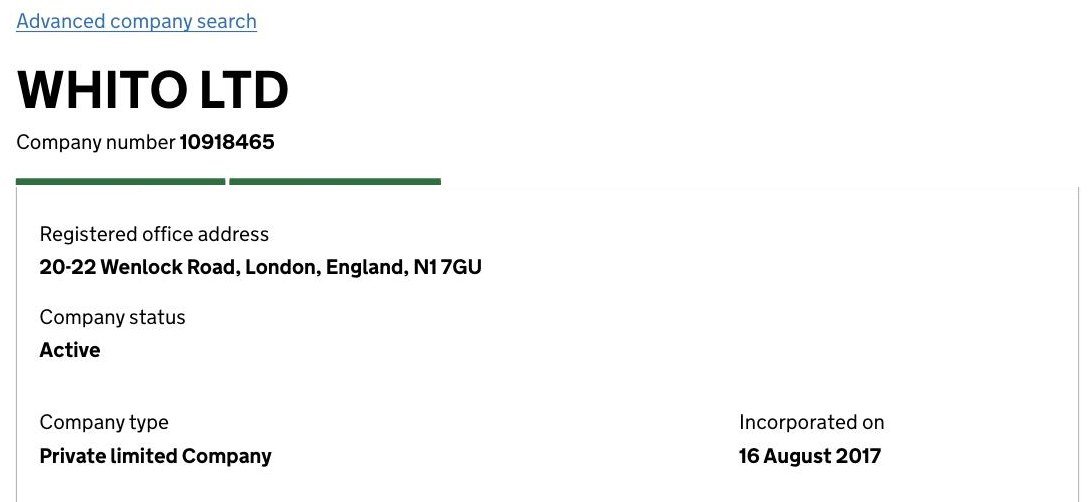
Companies House, front and centre. Suspicious customers check builders at Companies House, looking for how long you have traded and whether you fold companies. Beat them to it: “R J Mason Building Ltd, company 09XXXXXX, trading since 2013” in the footer, linked to your filing history. A builder linking his own Companies House record is making a statement a logo cannot.
Insurance, with numbers. “£5m public liability, certificate available at the site visit.” If you hold TrustMark or FMB membership, show it and link the register entry; if you do not, claim nothing, because those bodies’ logos on non-members’ sites have a way of being noticed.
Reviews with addresses in them. “Extension in Mapperley, kept to the quote” is worth five anonymous five-stars. Ask clients at snagging sign-off, when relief is at its peak.
Five seconds, standing in a kitchen they hate
The mobile fold: one after-photo of your best extension as the background, one line (“Extensions and lofts across Nottingham, built by the firm that shows you the whole job”), your company number small but present, and one button: “Book a site visit”. Not a slider. One photo you would defend in person.
Local SEO when the work is the geography
You run vans, but your local SEO is premises-shaped, because your projects have addresses. Each project page names its suburb, which quietly builds a map of “builder + [suburb]” relevance that agency-written town pages fake badly. Google Business Profile as a service-area business, primary category “Construction company” or “Builder” as offered, and upload the same before/after pairs there. Your radius is honest: the area you will actually send a van to for a site visit. A “we cover the East Midlands” claim serves your ego and nobody’s search results.
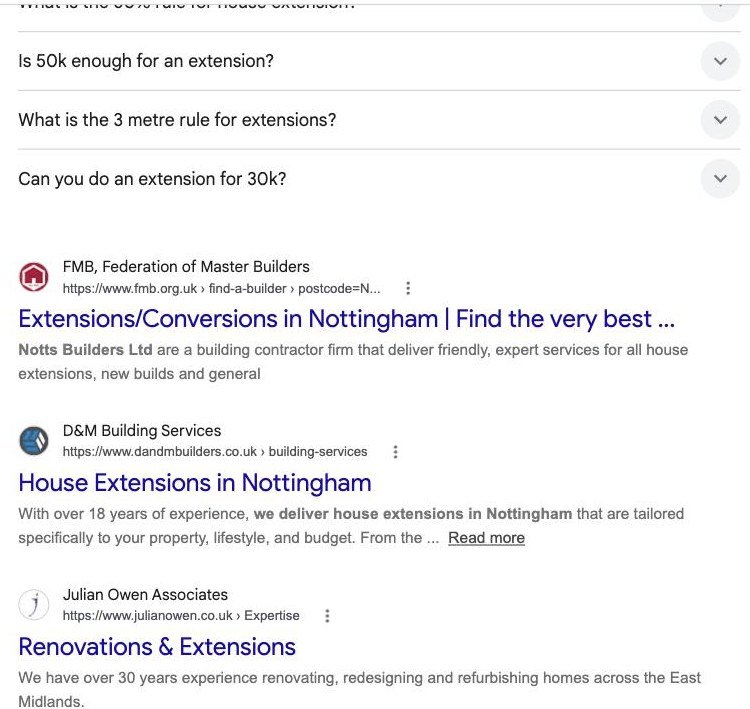
Before writing a word of the extensions page, search your own money term and study the incumbents:
Build route: WordPress, because project pages accumulate
The three ways a builder gets a website built: doing it yourself on a website builder (£10–£25/mo), hiring a freelancer (£1,200–£3,000), or a monthly website deal (£80–£250/mo).
What a builder website costs in 2026
Do it yourself
£10–£25/mo
Honestly enough for a one-person maintenance outfit. Project pages will outgrow it.
Freelancer
£1,200–£3,000
WordPress build with a project-page template you can fill yourself in twenty minutes per job.
Monthly deal
£80–£250/mo
Fine only if you own the site, the domain and every photo on it.
The bands this guide uses throughout, side by side. Full reasoning in the build-route section below.
Default: WordPress with proper hosting (Hostinger is the host we use and review), built by a freelancer for £1,200 to £3,000. The reason is the architecture above: thirty project pages in year three, each with a dozen photos, cross-linked to service pages. WordPress treats that as normal; drag-and-drop builders treat it as abuse. Have the freelancer build one project page template you can fill yourself in twenty minutes per job, because the builder who needs an invoice from a web company every time a job finishes will stop adding projects by August. Our builders comparison covers when a simpler tool is honestly enough, which for a one-person maintenance-and-repairs outfit it can be. The going rates at every level are in our builder website cost guide. If you take the WordPress route, check current Hostinger UK pricing.
The domain goes in your own account: masonbuilding.co.uk, bought at Namecheap (our review explains the renewal pricing), auto-renew on, registered to the company rather than to whoever builds the site.
For the photography-adjacent assets, the before/after pairs with consistent framing, a site board, a one-page “what a site visit covers” PDF, Canva does the job without a designer on retainer. Use it for those assets, not for the website itself.
The homepage test: theirs and yours
The bad version is on every street: “J&M Builders. All aspects of building work undertaken. Fully insured. Free quotes.” Over a stock photo of scaffolding on a building you did not build. It reads identically to the flyer that came through the letterbox, and the customer prices both at zero.
The good version opens on your own finished extension, states the trade (“Extensions, lofts and full refurbs across Nottingham”), shows the company number and insurance line, then goes straight into three project cards with suburbs and timelines. The customer’s next click is a project, and the project does the selling.
Seven ways builders’ sites lose £80,000 jobs
- A “Gallery” of unlabelled photos instead of project pages with stories.
- No company number, for the trade customers most want to background-check.
- No prices anywhere, not even a per-square-metre band: silence read as danger.
- Stock scaffolding photos, instantly recognised as nobody’s actual work.
- Renders presented where finished photos should be.
- Claiming memberships that lapse; customers check registers more than builders think.
- Extensions, lofts and refurbs mashed into one page, so Google ranks it for none of the three.
The pre-launch fifteen
- Company name, number and incorporation year in the footer, linked to Companies House.
- Insurance stated with the cover amount.
- TrustMark / FMB shown only if current, linked to the register entry.
- Extensions page live with a per-square-metre band and worked example.
- Lofts and refurbs pages live and distinct.
- At least five project pages, each with before/after from the same spot, timeline, and the what-went-wrong paragraph.
- Planning and Building Control page live, with the council portal linked.
- Every photo is your own work; anything else is licensed for use without attribution and is not presented as your work.
- Site-visit button on every page, and the fold has exactly one photo and one button.
- Google Business Profile: service-area mode, builder category, before/after pairs uploaded.
- Five Google reviews, at least two naming a suburb.
- Domain in your own Namecheap account, company-registered, auto-renew on.
- Google Search Console verified, sitemap submitted. Free.
- The project page template proven: you have personally added one in under half an hour.
- Someone outside the trade has read the planning page and understood every word.
The 30 days after go-live
Week one: message your last five clients for reviews, and ask the two happiest for permission to name their street on the project page. Week two: photograph the current job weekly from a fixed spot, building the next project page as you build the extension. Week three: check Search Console; if “cost” queries dominate, push the cost bands higher up the extensions page. Week four: add project page number six, and put the site URL on the site board facing the pavement, because the neighbours watching the build are the next customers.
Four questions from the cab of the van
Why publish prices when every job is different? Because the customer will get a number somewhere, and the sites that give ranges get the site visit while the “every job is unique” sites get suspicion. Bands with reasons attached prove you know your numbers, and nobody mistakes them for a quote.
I’ve got years of photos on my phone. Enough? If ten of them are before/after pairs of the same room, yes. The pairs matter more than the quantity; start pairing on every job from today.
Do I need planning permission content if I’m not an architect? You are explaining process, not giving advice. “Most single-storey rear extensions fall under permitted development, but check, and here is your council’s portal” is experience, honestly framed.
A lead wants to see a job in person. Put that on the site? If past clients agree, “we can arrange a visit to a finished project” is the strongest sentence a builder’s website can carry. Use it the moment it is true.